 My kid loves the Story Pirates podcast, and listens to it as she goes to bed. I used to manually download new episodes and add it to my media library, so she could listen to it on the Sonos speaker in her room. It took very little time to download the file and add it to my server, but I thought, it’ll be easy to automate this.
My manual process was to download the latest file and add the new files to the top of a Story Pirates playlist in the Sonos app. Whenever the Story Pirates button is pressed, a Home Assistant automation plays the playlist on a Sonos speaker with the newest episodes first.
A little searching led me to poddl, a command line tool to download podcast episodes. Using poddl I was able to download the latest episode of the Story Pirates podcast to a shared folder on my home file server. In the Sonos app I added the folder as a music source, and in Home Assistant I updated the automation to play the folder rather than the manual playlist.
Unfortunately, the the Sonos app plays the podcast folder in alphabetical order, so the older episodes play first (e.g. episode 399 plays before 400). There’s no way to play in reverse alphabetical order (newest episode first). To play newest first, I’d need to manually create a playlist (defeating my goal of automating this process).
To automate this, I’d need some way to put the files in reverse order on my file server. I decided I’d use a little math and take the episode number and subtract it from 1000 and prepend the result to the file name. This puts episode 400 at 600 and episode 401 at 599. This allowed the Sonos automation to play newest episodes first.
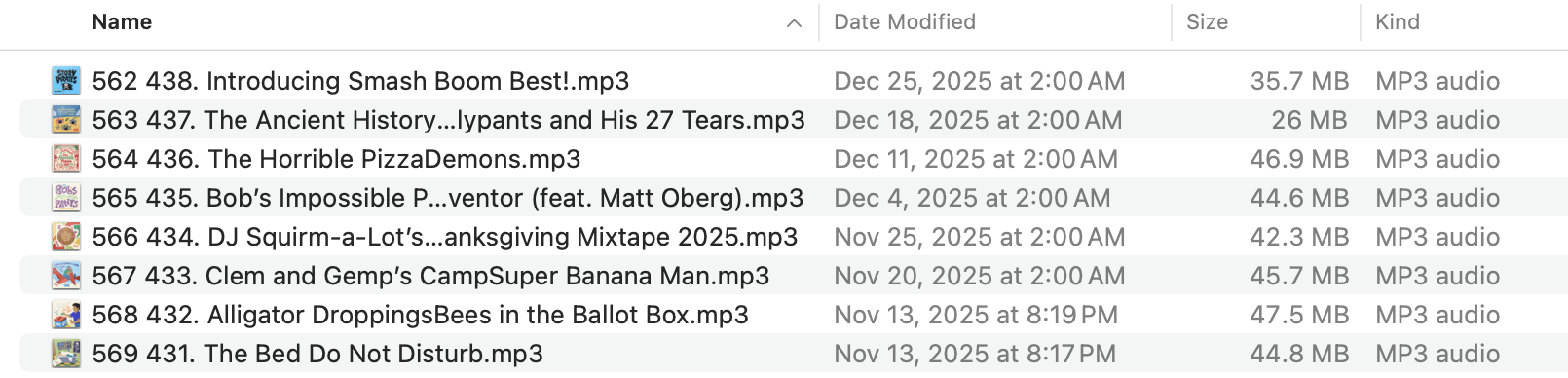
I probably could have/should have stopped there, but an issue came up I wanted to resolve. Before the new podcast season started, there was a short teaser episode. Every time the automation started, the teaser episode would play first. If I deleted the teaser, the script would just download it again the next time it ran.
To resolve the issue, I started with a processing folder and saved the number of the last downloaded episode. The last few episodes would be stored in the processing folder, and a file would only be moved from the processing folder to my media server if the latest episode number was greater than the stored episode number. Since the files on the media server weren’t checked by the script, I could delete a file (in this case the teaser episode) and it wouldn’t be copied again since it already existed in the processing folder.
I don’t do much bash scripting so Stack Overflow was a huge help. I’m sure my script is a mess, but it works.
|
|